Autel
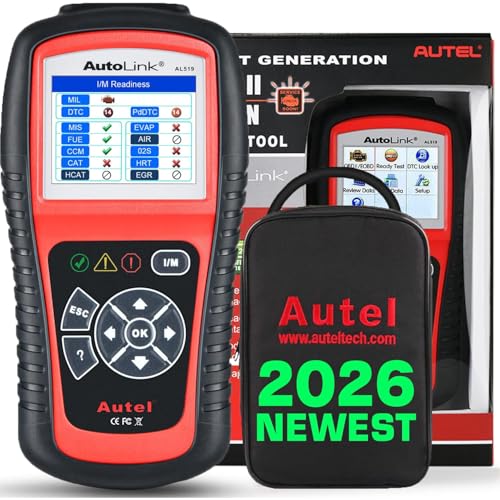
Autel AutoLink AL519 Enhanced Universal OBD2 Scanner Car Diagnostic Tool
Disclosure: We may earn a commission when you buy through links on this page, at no extra cost to you. As an Amazon Associate I earn from qualifying purchases. Learn more
Highlights
- ⚠️【Important Tips Before Purchase】1️⃣ Compatible with standard OBD II vehicles manufactured from 1996 onward in the US market. 2️⃣ Due to the Secure Gateway (SGW) / FCA AutoAuth security system, this tool is unable to access OBDII modules or clear codes for FCA vehicles (including Chrysler, Dodge, Jeep, etc.) produced after 2017. ⚠️3️⃣Vehicles equipped with an SGW module are also not supported. 4️⃣Functions are not universal. Please send a mes-sage via 📞auteldirect @ outlook . com📞 to check compatibility before ordering. Need any help? Please don't histate to con-tact us via above em-ail.
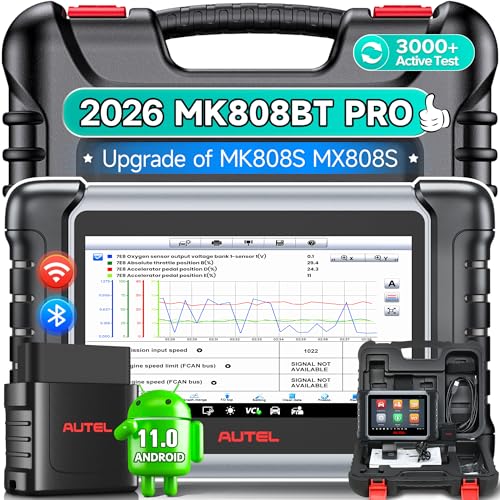
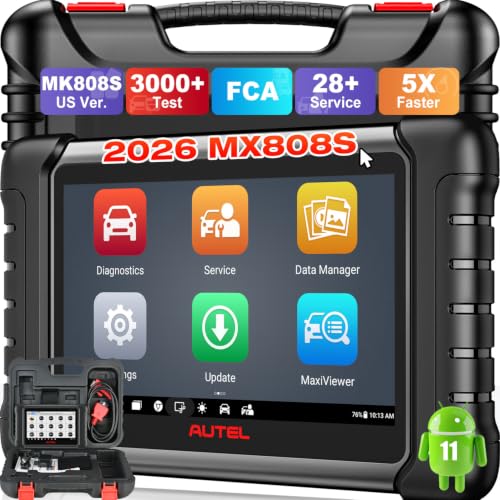
- ⚠️【How to Get the PDF User Manual】A) Download it directly from the "Product guides and documents" section on the Am-azon product page. Or B) Find the user manual li-nk in "what's in the box" section of this listing page. C)Mes-sage us via Am-azon or 📞auteldirect @ outlook . com📞and we'll send you the PDF version within 24 hours. ⚠️📢 Please Note: It does not support full engine system diagnostics or advanced parameter display. If need, please consider upgrading to models such as the Autel MD906 Pro or MK808BT Pro. ⚠️❌The Autel AL519 is not listed on the US distributor's website. It is only on the Autel HQ global site. If you need the w-eb, feel fr-ee to con-tact us.
- 👍【How to Update AL519 Language?】1️⃣Download AL519 update pack from ( https : // www . autel . com/c/ www / mk1 / 3241 . jhtml ), extract the zip file, you will get .aut and .bin update files. 2️⃣Download the MaxiLinkII on ( http : // support . autel . com / support / solutions / folders / 8000079030 ) 3️⃣Install MaxiLinkII on windows P-C (not support MAC). 4️⃣⚠️Long press the Left button on AL519 for 3 seconds, (this step is not a must, do this steps, if normal steps shows: Authorization language not matching!) 5️⃣Connect AL519 with P-C via USB cable. 6️⃣Run maxilinkII on P-C, select the update file you just downloaded to update the AL519. (⚠️Can only update language, no function update)
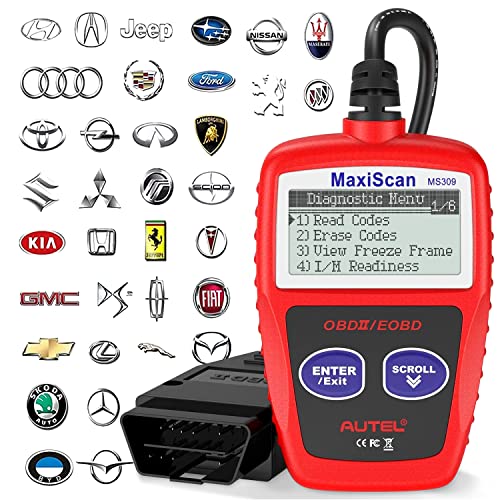
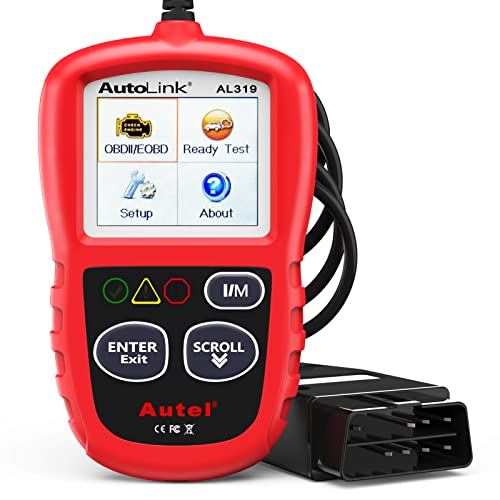
- 👍【Upgrade of AL319】Autel AL519 is a plug-and-play handheld OBD2 car check engine scanner. Upgraded from AL319, instead of just reading and clearing codes, AL519 can perform all OBDII functions (mode 1~10), and provide quick DTC lookup and live data in text & graph. It retrieves generic(P0, P2, P3, and U0), manufacturer specific(P1, P3, and U1) codes and pending codes, vehicle VIN, turn off CEL, check I/M readiness status for ready test, locate bad parts like a O2 sensor, do evap leak test, etc.
- 👍【Full OBD2 Functions】Generally only the scanners in auto parts stores are equipped with full OBD2 diagnosis, as they can handle more complex OBD2 issues. But this little guy has those too! AL519 car scanner integrates all OBD2 functions (10 modes), including: read code, clear code, view live data, freeze frame data, vehicle info, check I/M readiness status, O2 monitor test, on-board monitor test, EVAP leak test, modules present. Anyone who has cars knows it’s well worth the price!
- 👍【Turn Off CEL & Smog Check】The Check Engine Light is always annoying you, most of the time because of a little thing like a loose gas cap, isn't it? With AL519 scan tool, you can read codes to quickly find out why the check engine light is on and reset it. Don’t waste money on a failed smog test! AL519 can retrieve I/M Readiness status to make sure OBD2 monitors on your car are “Ready”, monitors like misfire, fuel, catalyst, O2 sensors, EVAP, etc, to help you pass the annual smog check.
- 👍【Retrieve Freeze Frame Data & Vehicle Info】The more specific the information available, the clearer the problem. The OBD2 scanner AL519 can retrieve freeze frame data, including important engine parameters like RPM, fuel pressure, fuel trim, engine coolant temperature, etc. Also it can retrieve Vehicle Information such as VIN number, Calibration ID(s), Calibration Verification Nos. (CVNs), etc, which is useful to check whether the ECU matches when you are buying a used car.
Why You'll Love It
- Reads and clears diagnostic trouble codes to help identify why the Check Engine Light is illuminated
- Displays live engine data in text and graph formats for a clearer view of vehicle information
- Checks I/M readiness status to help you review emissions-related monitors before a smog check
- Retrieves freeze frame information, including engine speed, fuel pressure and coolant temperature
- Reads vehicle identification information, including VIN and calibration details, useful when considering a used car
- Provides OBD2 diagnostic functions through a plug-and-play handheld design without requiring a separate computer for basic operation
Pros
- +Live data in text and graph formats
- +Reads generic and manufacturer-specific codes
- +Freeze frame data retrieval
- +I/M readiness status monitoring
- +VIN and vehicle information retrieval
Cons
- -Limited access to newer FCA vehicles
- -No full engine system diagnostics
- -Language updates require a Windows PC
Detailed Review
The Autel AL519 OBD2 scanner is a handheld diagnostic tool for car owners who want to understand Check Engine Light warnings, read trouble codes and review useful engine information without immediately relying on someone else to interpret the problem. Its strongest appeal is the combination of code reading, clearing, live data and readiness monitoring in one plug-and-play device. That makes it a practical option for people who handle basic vehicle troubleshooting themselves or want more information before arranging repairs.
Code reading and clearing are central to what this scanner offers. It retrieves generic codes, manufacturer-specific codes and pending codes, giving owners information about issues that may be affecting their vehicles. Once a problem has been addressed, the scanner can also clear codes and turn off the Check Engine Light. However, clearing a warning is not the same as resolving its underlying cause, so the diagnostic information should guide the next step rather than replace attention to the actual problem.
Live data adds another useful layer. The AL519 can display vehicle information in both text and graph formats, while freeze frame retrieval provides recorded engine parameters such as RPM, fuel pressure, fuel trim and engine coolant temperature. These features give users more context than a trouble code alone. The scanner also retrieves vehicle identification information, including the VIN, Calibration IDs and Calibration Verification Numbers. This can be particularly useful when checking vehicle information during a used-car purchase.
Emissions-related functions are another important part of the package. The scanner checks I/M readiness status and provides O2 monitor, on-board monitor and EVAP leak functions. Owners preparing for a smog check can use the readiness information to see whether relevant monitors, including misfire, fuel, catalyst, oxygen sensor and EVAP monitors, are ready. It also includes information about modules present and supports the listed OBD2 diagnostic modes. These capabilities make it useful for reviewing several aspects of standard OBD2 diagnostics.
There are meaningful limitations to consider. Compatibility covers standard OBD II vehicles manufactured from 1996 onward in the US market, but vehicles equipped with a Secure Gateway module are not supported. FCA vehicles such as Chrysler, Dodge and Jeep models produced after 2017 cannot have their OBDII modules accessed or codes cleared through this device because of the Secure Gateway and AutoAuth restrictions. It also does not provide full engine system diagnostics or advanced parameter display. Verdict: This OBD2 scanner is a sensible choice for owners who want code reading, live data, freeze frame information and emissions readiness checks in a straightforward handheld tool. Choose a more advanced diagnostic scanner if your priority is comprehensive engine system coverage or access to supported advanced parameters.
Who Should Buy It
A great fit if you:
- Own a compatible standard OBD II vehicle and want to investigate Check Engine Light warnings before deciding what to do next.
- Prefer having a handheld scanner available for reading diagnostic codes and reviewing vehicle information yourself.
- Want to see live engine information in text or graph formats rather than relying on trouble codes alone.
- Are preparing for a smog check and want to review the readiness status of relevant emissions monitors.
- Are considering a used car and would find VIN and ECU calibration information helpful when reviewing vehicle details.
Consider something else if you:
- Need comprehensive engine system diagnostics or advanced parameter displays, making a more advanced diagnostic scanner a better fit.
- Own an unsupported FCA or Secure Gateway equipped vehicle and need a scanner that can access its restricted OBDII modules.
Before You Buy
Confirm on the listing:
- Check your vehicle's compatibility before ordering. The stated coverage is for standard US-market OBD II vehicles manufactured from 1996 onward, but functions are not universal.
- Confirm whether your vehicle has a Secure Gateway module. The AL519 does not support vehicles equipped with this system.
- If you own a Chrysler, Dodge, Jeep or another FCA vehicle produced after 2017, verify the restrictions carefully because module access and code clearing are unavailable.
- Check the product's what's-in-the-box information and product guides section for the included items and PDF user manual.
How to compare your options: Start with vehicle compatibility, then consider which diagnostic information you actually need. Code reading, clearing, live data, freeze frame retrieval and I/M readiness are the main strengths here. If those functions cover your requirements, the AL519 offers a focused set of capabilities. If you need full engine system diagnostics or advanced parameter displays, prioritize a scanner designed for those requirements instead. Also consider whether the language update process suits your available computer setup.
Getting the Most From It
Begin by checking the user manual before using the scanner. The PDF manual can be accessed through the Amazon product page's Product guides and documents section or the what's-in-the-box section. Reading the instructions first can help you understand the available diagnostic functions and the information displayed by the device.
When the Check Engine Light appears, start by retrieving the diagnostic codes and reviewing the available information. Use live data and freeze frame details to add context, rather than treating a code as a complete explanation of the underlying issue. The text and graph displays offer different ways to examine the information.
If you are preparing for a smog check, review I/M readiness status and the individual monitor information. This gives you a view of relevant emissions-related readiness, including catalyst, oxygen sensor, fuel and EVAP monitors. Remember that checking readiness and clearing a warning are separate functions.
If you need to change the scanner's language, follow the manufacturer's stated update procedure. It involves downloading the update files, installing MaxiLinkII on a Windows PC and connecting the scanner through USB. The update process changes language only, not diagnostic functionality. Keep the manual available as a reference when using less familiar functions.
FAQ
Will the Autel AL519 work with my car?
It supports standard OBD II vehicles manufactured from 1996 onward in the US market. Compatibility is not universal, so confirm your specific vehicle before purchasing.
Can it read and clear Check Engine Light codes?
Yes, it can retrieve diagnostic trouble codes and clear codes to turn off the Check Engine Light. It also reads generic, manufacturer-specific and pending codes.
Can it check whether my car is ready for a smog check?
Yes, it retrieves I/M readiness status and provides information about relevant monitors, including misfire, fuel, catalyst, O2 sensor and EVAP readiness.
Does it support Chrysler, Dodge and Jeep vehicles?
Not all of them. FCA vehicles produced after 2017 cannot have their OBDII modules accessed or codes cleared with this scanner because of Secure Gateway and AutoAuth restrictions. Vehicles equipped with an SGW module are also unsupported.
Can I update the language without changing the diagnostic functions?
Yes, the language can be updated using MaxiLinkII on a Windows PC and the supplied update files. This process only updates the language, not the scanner's functions, and Mac computers are not supported for this procedure.
Product Details
| Brand | Autel |
| ASIN | B07PQH6HSQ |