
Best Tables for 3D Printers: What Actually Matters Before You Buy
Disclosure: We may earn a commission when you buy through links on this page, at no extra cost to you. As an Amazon Associate I earn from qualifying purchases. Learn more

A checklist for choosing a stable 3D printer table, with three picks that pass it.
A 3D printer moves its print head and bed thousands of times per print, and any wobble in the surface under it shows up as ringing, layer shifts or failed prints. A flimsy desk or a shared table that gets bumped can ruin a 12 hour job. Choosing the best tables for 3d printers means judging stability, load capacity, size, storage and power access, not just looks.
This guide lays out the checklist we use to judge printer tables, three picks that pass it, a quick buyer checklist, red flags and answers to common questions.

How We Evaluate Tables for 3D Printers
To find the best tables for 3d printers, we score tables on stability first, then height and ergonomics, frame build, vibration control, surface materials and warranty. Our scoring is based on listing specifications, construction details and buyer feedback in aggregate. Each criterion below includes what good and poor look like.
Features That Matter for 3D Printers
3D printers need a rigid, level surface that does not sway when the print head changes direction. Good: a steel frame with cross bracing, a top at least 0.8 to 1.2 inches thick and leveling feet. Poor: thin particleboard on tall, unbraced legs. A top of at least 24 x 18 inches fits most desktop printers, while enclosed or CoreXY printers often need 24 x 24 inches or more. Built in power outlets and filament storage are useful extras.
Ergonomics and Adjustability
A working height of around 28 to 36 inches makes it easy to watch the first layer, remove prints and change filament. Good: adjustable height, such as the VekMax workbench's 10 settings from 27.5 to 39.6 inches. Poor: a very low shelf that forces you to crouch to reach the build plate. Consider whether you sit or stand while tinkering.
Warranty and Return Policy
Good: at least a one year warranty on the frame and responsive replacement of missing or damaged parts. Poor: no stated warranty or vague seller policies. Since tables are bulky to return, check the return window and whether the seller covers return shipping before you buy.
Build Quality and Frame
Good: welded or thick steel frames with dual cross beams, stated load capacities well above your printer's weight (a typical desktop printer weighs 15 to 40 lb) and metal shelves. Poor: unstated load limits or thin tubing that flexes when pushed. Heavy duty workbenches rated for 1,200 to 2,500 lb are overkill in capacity but very stable.
Vibration Damping and Stability
Good: a low center of gravity, a lower shelf that adds weight, leveling feet and lockable casters if the table rolls. Poor: wheels without locks or a top heavy design. Placing a heavy paver or anti vibration pad under the printer further reduces wobble on any table.
Materials and Top Surface
Good: thick laminated wood, MDF with a durable coating or steel tops that resist heat and scratches. Poor: thin melamine that sags under weight over time. Avoid glass tops, which can transmit vibration and crack. A smooth, easy to clean surface helps with resin or stray filament.
3 Picks That Pass Our Checklist
The VekMax 48-Inch Heavy Duty Workbench is our best overall pick, the 3-Tier Heavy Duty 3D Printer Table is the best value and the Upgraded Dual 3D Printer Stand is the best for heavy use with multiple printers.
Best Overall: VekMax 48" Heavy Duty Workbench
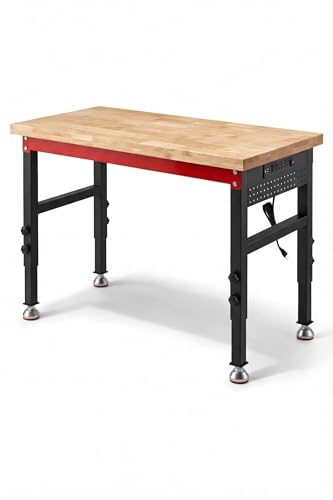
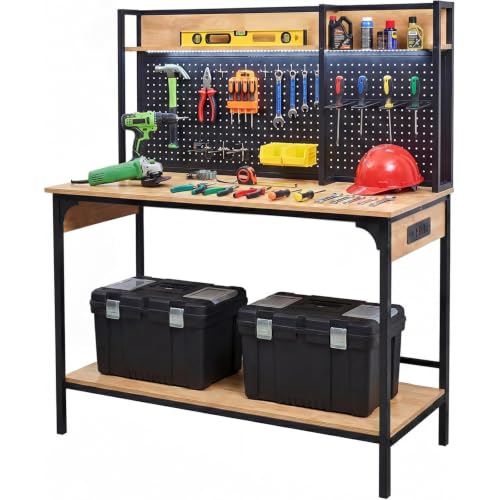
The VekMax workbench suits makers who want a rock steady base for one or two printers plus room for post processing. At around $170, it has a reinforced steel frame with dual cross beams, a 1.2 inch laminated top and a stated 2,500 lb load capacity.
Its two standout strengths are 10 height settings from 27.5 to 39.6 inches and a side pegboard with 4 AC outlets and 2 USB ports. It offers leveling feet or casters. The limitation is that it is an open bench without filament storage, so you may need a separate dry box or shelf.

Best Value: Heavy Duty 3-Tier 3D Printer Table with Filament Storage
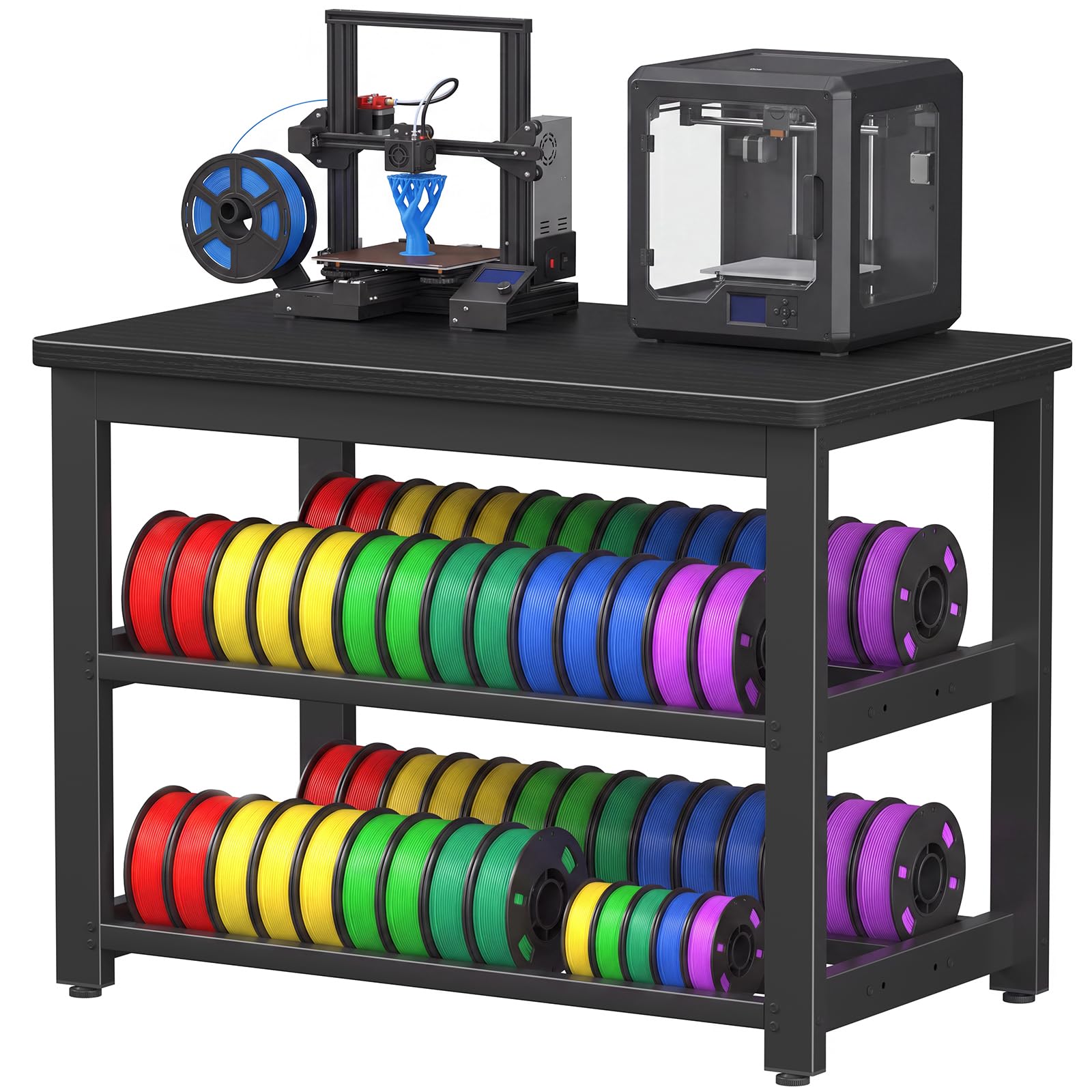
This 3-tier metal stand suits hobbyists with one desktop printer and limited space. At around $90, the listing describes a stable 3 tier metal design with a built in spool rack for filament storage.
Its strengths are a compact footprint that fits a corner and integrated filament storage that keeps spools organized and close to the printer. The limitation is that the listing gives few detailed specs, so confirm top dimensions against your printer's footprint before buying.

Best for Heavy Use: Upgraded Dual 3D Printer Stand with Filament Storage
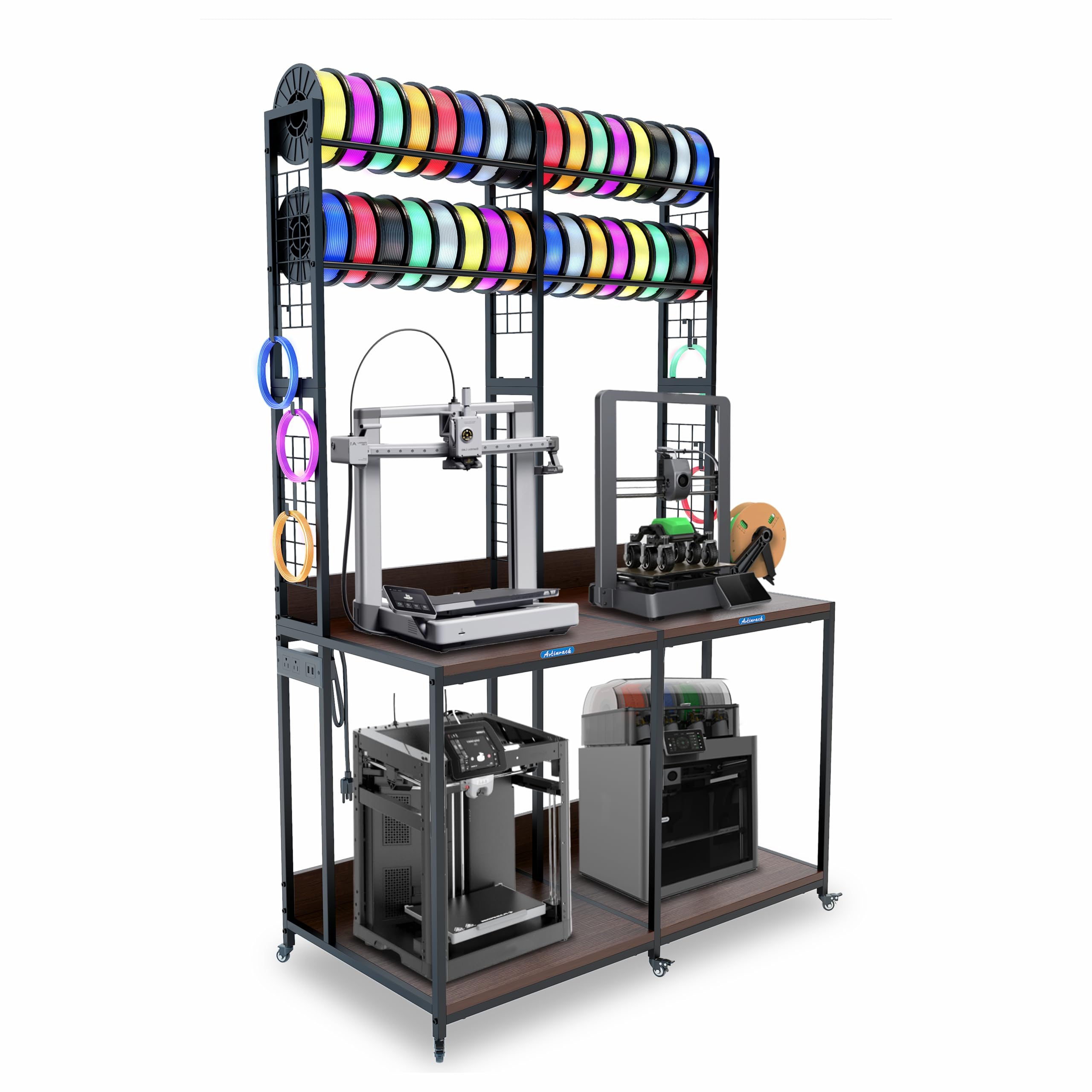
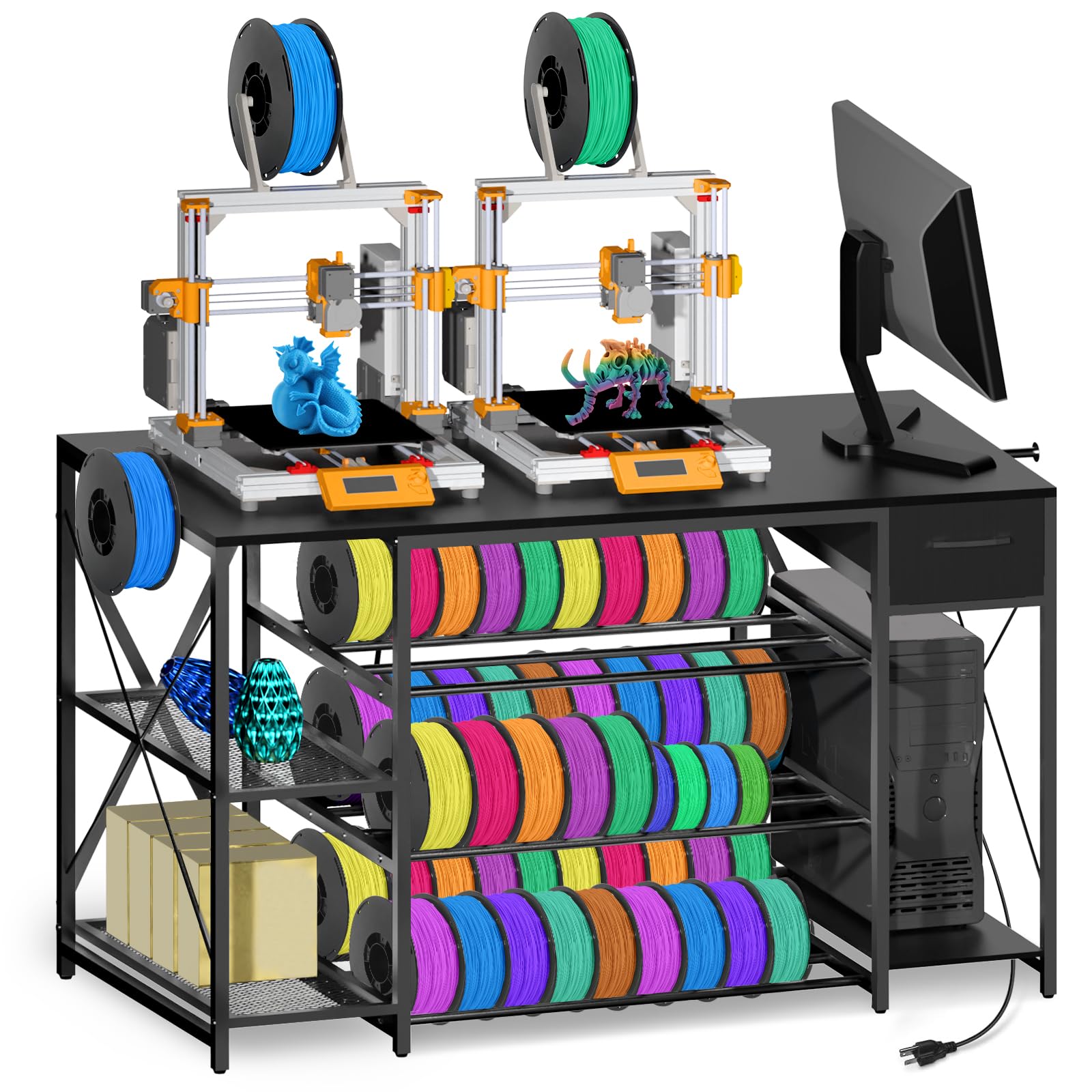
This dual printer workstation suits makers running two printers or a small print farm. At around $260, the listing describes room for two printers, extended filament storage, mobility and an AC/USB power hub.
Its strengths are space for two machines and integrated power for printers, lights and accessories. The limitation is its larger footprint and price, and if it rolls, the casters should be locked before printing.

Quick Buyer Checklist
Answer yes to most of these before buying.
- Is the top larger than your printer's footprint plus a few inches on each side?
- Does the frame use steel with cross bracing?
- Is the stated load capacity at least three times your printer's weight?
- Does it have leveling feet or lockable casters?
- Is the working height comfortable for removing prints?
- Is there space for filament storage or a dry box?
- Are power outlets built in or easy to add?
- Does the seller state a warranty and return policy?
Red Flags to Watch For
Skip tables that show these warning signs.
- No stated load capacity: a missing number often means a weak frame.
- Thin, unbraced legs: tall tables without cross bracing sway with the print head.
- Vague dimensions: listings without top size and height make fit a gamble.
- Wheels without locks: rolling tables must lock firmly to print well.
- No warranty or seller support: missing parts are common with flat packed furniture.
How to Make Your Table Last Longer
- Set the height so you can see the first layer comfortably without bending.
- Tighten bolts every few months, since printer vibration can loosen them.
- Wipe the surface regularly to remove dust, filament scraps and resin drips.
- Keep the table away from heaters and direct sun, which can warp tops and affect prints.
Tables: Your Questions Answered
What features matter most in tables for 3d printers?
Stability, size and load capacity matter most. Choose a steel frame with cross bracing, a top larger than your printer's footprint and a load rating well above its weight. Leveling feet, filament storage and built in power are valuable extras.
Is an expensive table worth it?
A mid priced table is worth it if your current surface wobbles. Spending $90 to $200 on a sturdy steel table or workbench prevents failed prints and wasted filament. Very expensive cabinets mostly add enclosures and storage rather than stability.
How long should a good table last?
A good steel framed table should last many years. Steel frames rarely fail; tops and casters wear first. Tightening bolts and avoiding overloading shelves keeps it solid.
How do I choose the right size?
Measure your printer's footprint and add about 4 to 6 inches on each side. Allow extra room for the bed's travel on bed slinger printers, which move forward and back, and for a spool holder if it sits beside the printer.
What features matter most for long hours?
Rigidity and vibration control matter most for long prints. A heavy, braced table with leveling feet keeps quality steady over many hours. A paver or anti vibration pad under the printer and a quiet location away from foot traffic also help.
Wrapping Up
Prioritize a rigid steel frame, a top sized to your printer and a load rating with plenty of headroom. Hobbyists with one printer will do well with a compact 3-tier stand, makers wanting room to work with a heavy duty workbench and print farms with a dual printer station. Keep those points in mind and the best tables for 3d printers will give you steadier, cleaner prints. Compare current options in the product table above, and see our guide to the best 3d printers for beginners if you are still choosing a printer.


